How to Distribute by Email
Read more
Make the most of your visit to the Home of Cricket. Whether you’re joining us for a match, a tour, or an event, you’ll find essential information on travel, facilities, and experiences right here.
Scan the QR codes around the Ground and follow our Heritage Trail to learn more about Lord's. Plan your visit below.
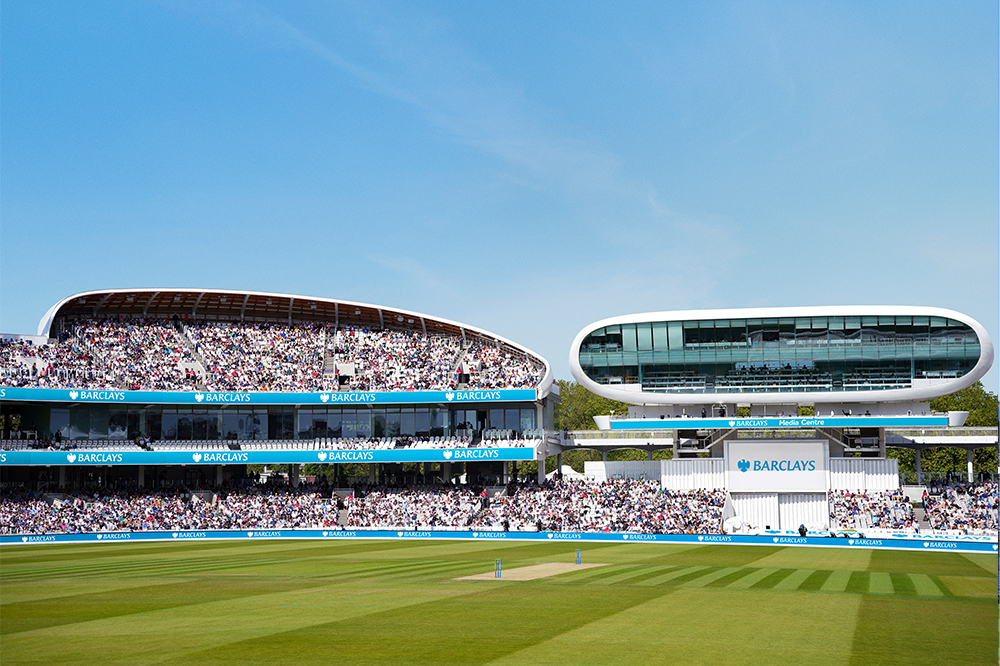
We’ve got a wide variety of formats covered with an exciting line up of matches to get your cricket fix.
Whether you like red or white ball, domestic or international, or men’s or women’s cricket, Lord’s will have the perfect cricket experience for you, your family and friends.
There's Nothing Like This

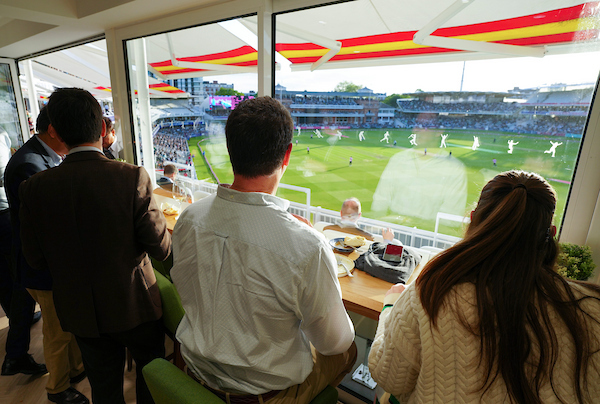
Take your Lord’s experience to new levels with our collection of premium hospitality experiences. From world-class matchday dining to exclusive behind-the-scenes access and private events, experience the heritage and atmosphere of the Home of Cricket in the ultimate style.
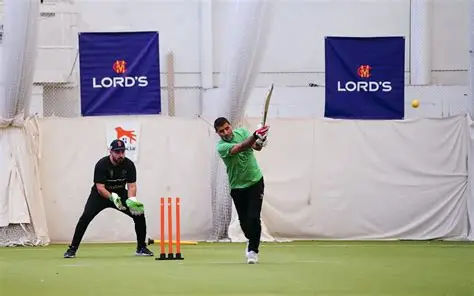
Train, play and refuel at the Vitality Performance Centre - home to indoor cricket coaching, personal training, group classes, HOAM café and our specialist cricket shop.
Marylebone Cricket Club is the world’s most active cricket club, the owner of Lord’s Ground and the guardian of the Laws of the game. Find out more about the history of MCC, our work in the Community and the famous Lord's Museum.
FIND OUT MORE

Please make sure you have installed the latest version of the Lord's app from your device's app store to ensure your tickets display correctly.
The current version is 19.4.5 for Apple devices and 19.4.8 for Android devices.
To download the Lord’s App, simply click this link for IOS and this link for Android.
Please note that Apple users will need iOS 17 or later to install the app.
You can check if your device is compatible with iOS17 here and instructions on how to install iOS17 can be found here.
To log in to the Lord's app, navigate to the tickets tab on the app, and click Log in.
We launched a new single-sign on system in February 2026. If this is your first time logging in since then, you will need to reset your password.
For more information, please click here.
A digital ticket is the safest, most convenient, and flexible way to receive your match ticket whilst increasing protection against fraud. It is also an easy way to go green by printing less paper and therefore better for our environment.
It's our effort to make your Home of Cricket experience the very best.
If you are unable to source your tickets via the App or your online account, you may email the Club Services department for assistance via ClubServices@mcc.org.uk.
Tickets for all fixtures, including International matches, will be released no later than one month before the match.
If you are attending a London Spirit fixture in The Hundred at Lord's, your tickets will be available in The Hundred App.
You can find your match tickets under the ‘Tickets’ tab. Please ensure you are logged in using the same email address used to purchase the tickets.
Please also check that you have updated or downloaded the latest version of the app from the App Store (version 19.4.5 on Apple devices, or 19.4.8 on Android devices).
If your tickets still aren't showing, please fully close the app, then reopen it and sign out and back in again.
Please note a confirmation email is not a ticket and will not be valid for access into the Ground. You will need to download the Lord’s App and login to access your tickets.
Once you have downloaded the official Lord’s App, you can find your match tickets under the ‘Tickets’ tab. Please ensure you are logged in using the same email address used to purchase the tickets.
We recommend checking that all expected tickets are visible in the app before arriving at Lord’s. Your ticket(s) will activate with a QR code 24 hours before the match day.
To help ensure smooth entry and avoid delays at the gate, please download the app and log in before you travel.
To access your tickets, please ensure you have downloaded the latest version of the app from the App Store (version 19.4.5 for Apple devices, or 19.4.8 on Android devices) and are logged in with your Lord’s account, using the same email address used to purchase your tickets.
If you have not logged in since 1 February 2026, you will be required to reset your password. To learn more, click here.
Tickets for all fixtures, including International matches, will be released no later than one month before the match.
If you are attending a London Spirit fixture in The Hundred at Lord's, your tickets will be available in The Hundred App.
If your tickets do not appear in the app, please try logging out and logging back in again using the same email address that was used to purchase your ticket(s).
Please also check that you have updated or downloaded the latest version of the app from the App Store (version 19.4.5 on Apple devices, or 19.4.8 on Android devices).
If you have not logged in since 1 February 2026, you will be required to reset your password. To learn more, click here.
Please note a confirmation email is not a ticket and will not be valid for access into the Ground. You will need to download the Lord’s App and login to access your tickets.
Yes, multiple mobile tickets can be downloaded to a single Lord's App account. Once selected you can swipe left and right to view all tickets.
If you are accompanying your friends to the Ground, all tickets can be kept on your phone app and scanned in one at a time as you and your Guests pass through the turnstiles.
If you are arriving separately, or, you wish to share the tickets in advance with your family and friends, you can use the ticket forward or distribute features.
Your ticket(s) will activate with a QR code 24 hours before the match day.
Your ticket will become active 24 hours before the match. Once it is active, a QR code with a moving red line around it will appear.
For security reasons, screenshots or photos of a ticket will not be accepted. Please present the live ticket directly from your device at entry.
New for 2026, there are two ways to share your ticket - Distribute (To Apple/Google Wallet) or Forward by app (Friends & Family).
Distribute (To Apple/Google Wallet)
Send one or multiple tickets directly by email. Recipients will receive a digital pass that can be added to their Apple Wallet or Google Wallet.
Please note: If you recall a ticket and distribute it again, only the most recently distributed ticket will be valid. To avoid delays for your guests on match day, please ensure they use the latest ticket received.
Forward by app (using Friends & Family)
Send tickets directly to someone with a Lord's account via the Lord's app.
To receive forwarded tickets, the recipient must:
To learn more about how to build your Friends & Family list, click here.
How you access your ticket depends on how it was shared:
If your ticket was distributed by email
Check your email inbox and add the ticket to your Apple Wallet or Google Wallet using the link provided.
If your ticket was forwarded by app (using Friends and Family)
Open the Lord’s app and check your tickets section. The ticket will appear there automatically.
Ticket distribution allows you to send on tickets to others to add to their Apple or Google wallet instead of the Lord’s app.
Please note: As the ticket owner, you can recall the ticket via your Lord’s app. If you do so, the ticket will reappear in your Lord's App under your account as the original owner and any previously shared Apple or Google Wallet ticket will no longer work or be valid for entry.
Please allow up to 5 minutes for the wallet ticket pass to generate.
If you have received multiple tickets, you must download each ticket individually prior to arriving to the ground.
Please note: You will not gain entry by using the email alone or photographs/screenshots of the ticket. It must be in the wallet of your device.
The ticket owner, has the right to recall the ticket at any time. If they do so, you will be notified and your distributed wallet ticket will become invalid for entry.
Ticket forwarding allows you to send tickets directly to someone with a Lord's account via the Lord's app.
To receive forwarded tickets, the recipient must:
Once added, these people will be available whenever you want to forward tickets to them, making sharing them in the future a simple process.
Click here to learn how to set up your Friends and Family list.
Before you can forward tickets, you will need to set up your Friends and Family network on your tickets.lords.org account. Once added, these people will be available whenever you want to forward tickets to them, making sharing them in the future a simple process.
Click here to learn how to set up your Friends and Family list.
1. Click 'Forward by app (Friends & Family)'
2. Select the seat(s) you wish to share and click 'Select x ticket(s)'
3. Select your recipient(s) for the tickets from your pre-built Friends and Family list. To learn how to set up your F&F list, click here
4. Click 'Save Recipient'
5. Review the details on the Ticket Confirmation screen. No payment will be taken.
6. Accept the Terms and Conditions and click 'Submit' to complete your ticket forwarding.
Your tickets will then be sent to the selected recipient(s).
To receive a forwarded ticket, you must log in to the Lord’s app using the email address linked to your Lord’s Ticketing account.
Follow these steps:
1. Download the Lord’s app
2. Log in* using your registered Lord’s account email
3. Open the Tickets section in the app
4. Your forwarded ticket(s) will appear there automatically.
* Please note: If this is your first time logging in since February 2026, you will be required to reset your password. Click here to learn more.
The Friends and Family function allows you to link your Lord’s account to those of your Family and Friends (up to a maximum of 25 accounts) to share tickets to others within the Lord's app.
To learn how to set up your Friends and Family list, click here.
To learn how to set up your Friends and Family list, click here.
To qualify for an Under 16 ticket, you need to be under 16 at the time of the match. If you are 16 or older you need an adult ticket.
Any Under-16 ticket-holder 14 years or younger must be accompanied by an adult ticket-holder.
Any babes-in-arms may be carried into the ground free-of-charge, so long as they will not occupy a seat themselves. A ticket is required for any child three years of age or over on the day of the match.
England v New Zealand Rothesay Men's Test match - Thursday 4 to Sunday 7 June
England v India Rothesay Women's Test match - Friday 10 to Monday 13 July
England v India Metro Bank Men's ODI - Sunday 19 July
England v Pakistan Rothesay Men's Test match - Thursday 27 to Sunday 30 August
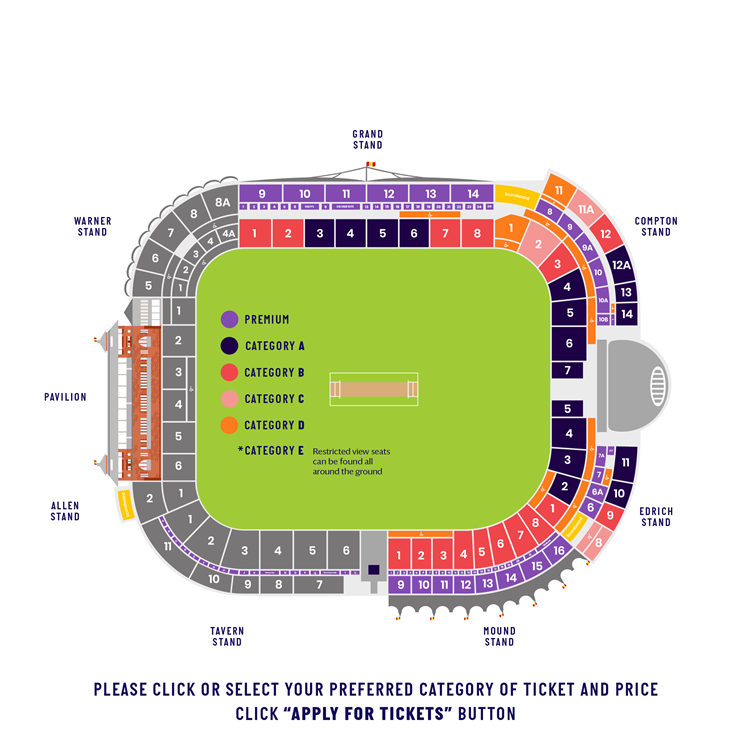
Tickets are available in the following categories and pricing:
Tickets will be available across all categories in the public stands. Tickets will be available in the following categories and pricing:
Ticket category | Days 1-3 4-6 June | Day 4 7 June | ||
Adult | U16 | Adult | U16 | |
A | £135 | £45 | £105 | £30 |
B | £115 | £45 | £90 | £30 |
C | £95 | £40 | £80 | £20 |
D | £85 | £40 | £70 | £15 |
E (restricted view) | £70 | £20 | £60 | £15 |
Ticket category | Days 1-3 10-12 July | Day 4 13 July | ||||
EB Adult | Adult
| U16 | EB Adult | Adult | U16
| |
A | £35 | £40 | £10 | £15 | £15 | £5 |
B | £30 | £35 | £5 | £15 | £15 | £5 |
C | £20 | £25 | £5 | £15 | £15 | £5 |
D | £15 | £20 | £5 | £10 | £15 | £5 |
E (restricted view) | N/A | N/A | N/A | N/A | N/A | N/A |
Ticket category | ODI 19 July | |
Adult | U16 | |
A | £180 | £60 |
B | £165 | £60 |
C | £150 | £50 |
D | £120 | £40 |
E (restricted view) | £90 | £30 |
Ticket category | Days 1 – 2 27 – 28 August | Day 3 29 August | Day 4 30 August | |||
Adult
| U16 | Adult | U16
| Adult | U16 | |
A | £135 | £45 | £105 | £30 | £85 | £30 |
B | £115 | £45 | £90 | £30 | £70 | £30 |
C | £95 | £40 | £80 | £20 | £60 | £20 |
D | £85 | £40 | £70 | £15 | £50 | £15 |
E (restricted view) | £70 | £20 | £60 | £15 | £40 | £15 |
Please note:
A Restricted View seat is classed as: a General Admission Ticket that has a full and uninterrupted view of the playing wicket but may have (a) between 20 - 40% of the outfield obscured; (b) a replay screen/scoreboard obscured or not visible; and/or (c) something may be in the line of sight.
You can see the view from all seats here
We accept all major debit and credit cards, including American Express.
Yes, you are able to share your tickets with your friends and family. Please note we strongly discourage the use of third-party resale sites, and the sale of tickets at greater than face value is strictly against the T&Cs of ticket use.
Please see below for further information regarding our resale platform, which is activated for sold-out match days, to allow ticket-holders to return their tickets back to the Club for resale.
Should you require any further information or advice on what you can do with your tickets should you not be able to attend, please do contact Club Services who can advise further.
We are pleased to provide a ticket resale facility for our sold-out match days, providing those who are no longer able to attend with a secure platform to obtain a refund on tickets resold to those who were not previously able to buy tickets for the match day.
Please note that you will not receive a refund unless and until your tickets are re-purchased. The original card details used for your purchase will be refunded.
Tickets for Day 5 of each Test match will be made available to purchase on a first-come, first-served basis, via tickets.lords.org at a later date. Please keep an eye on email communications from the Club regarding these tickets.
The Refund Policy is outlined in Section 8 of the Terms and Conditions of sale, which can be found here.
If your question is not answered by the FAQs above and you need more information or assistance, please contact Club Services via email at clubservices@mcc.org.uk or by telephone on 020 7432 1000.